Accessing your detailed reports
This page will demonstrate a step-by-step process on how to access and download your reports from the National pilot web application
In order to access your reports
Login into your National Pilot account at National pilot web application
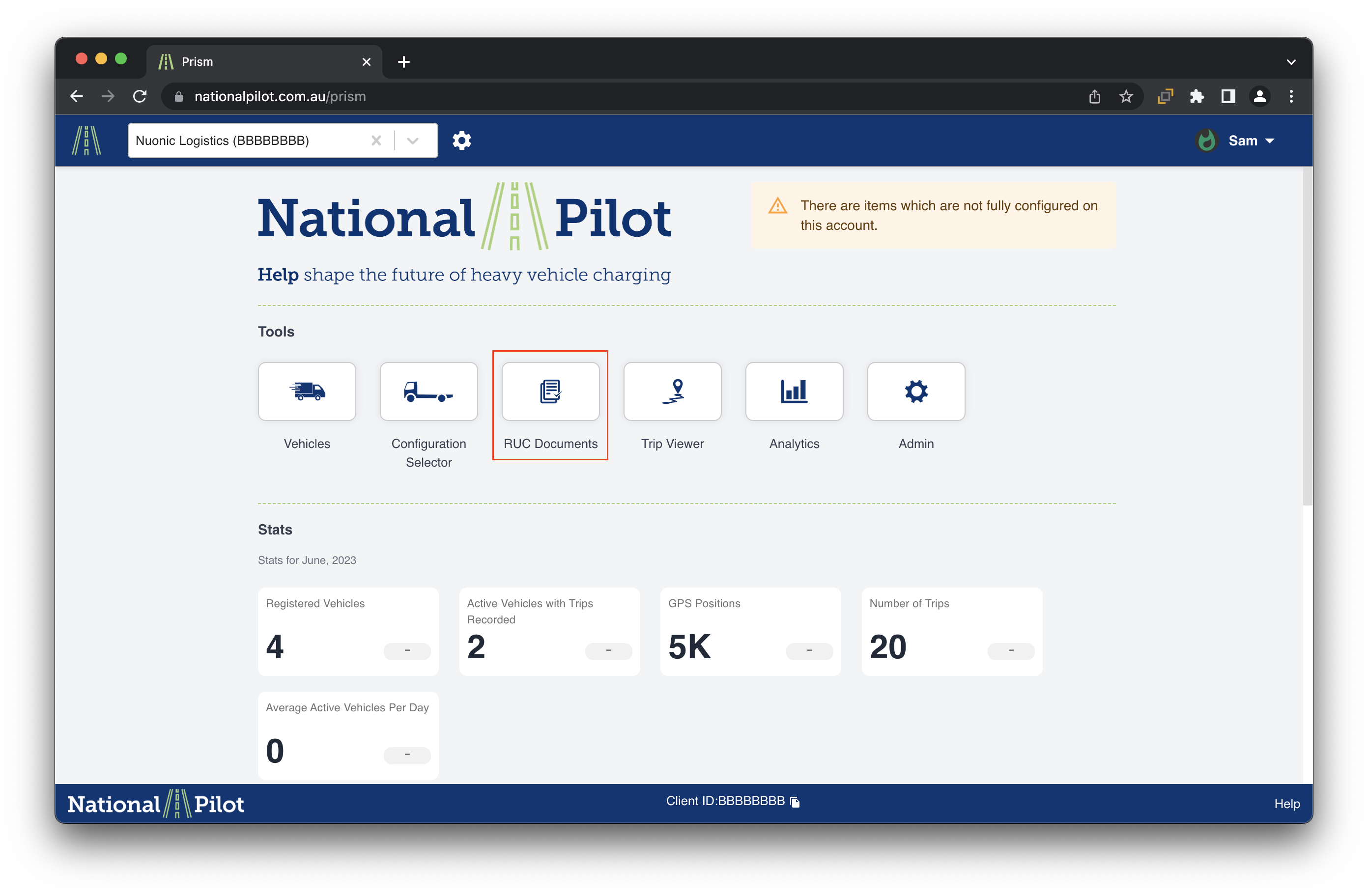
From the account's homepage, navigate to the "RUC Documents" section. Upon selection, a new page will open displaying the invoices available for download at your convenience.
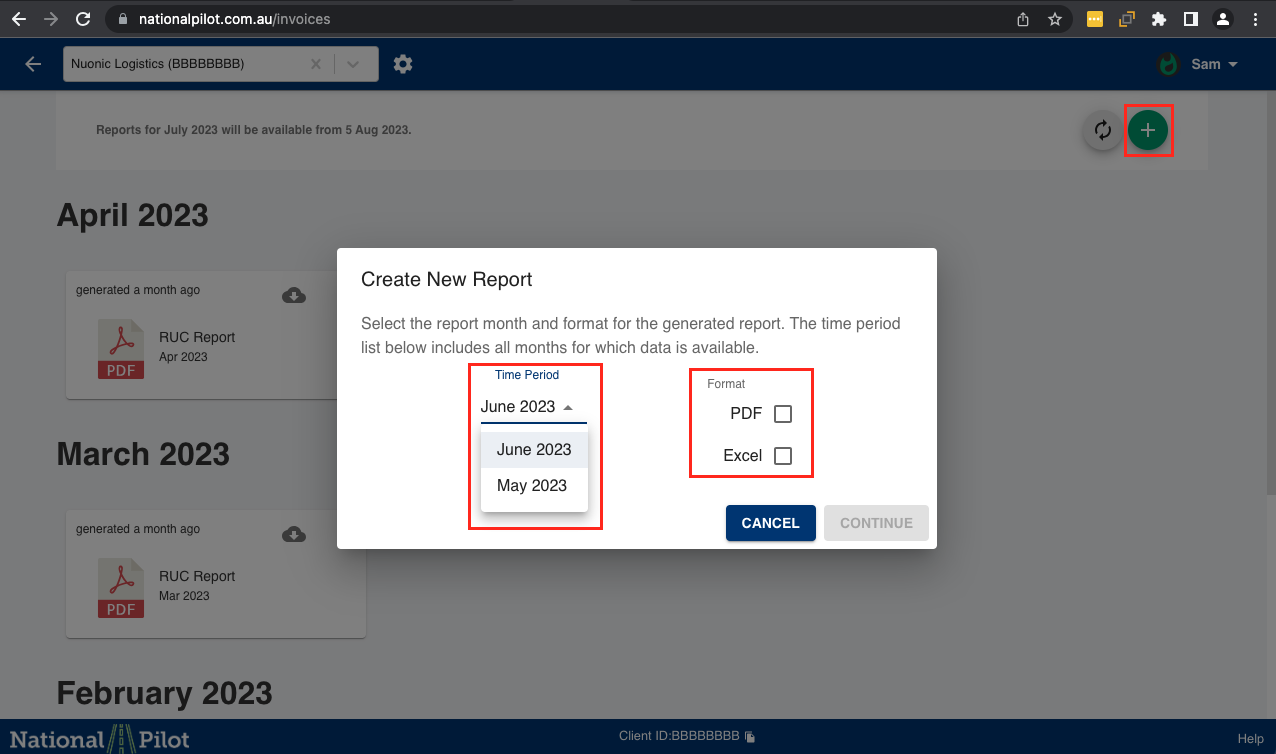
Upon selecting the "Download Reports" tab, proceed by choosing the desired months for which you would like to access downloadable reports. Additionally, indicate the preferred report formats you wish to download. Subsequently, click on the "Continue" button to proceed with the request.