
Accessing and updating your Fuel Records
About
This page provides a step-by-step guide on how to input your fuel purchase invoices and access the current fuel usage data. By following the instructions carefully, you can efficiently record your fuel purchase details and gain insights into the fuel consumption of your vehicles.
Whether you are a new user or an existing one, this comprehensive tutorial will assist you in managing your fuel data effectively, ensuring accurate record-keeping, and enabling you to make informed decisions regarding fuel usage.
Steps on how to access your Fuel records
Log-in to your account on the National Pilot web application here National Pilot web application
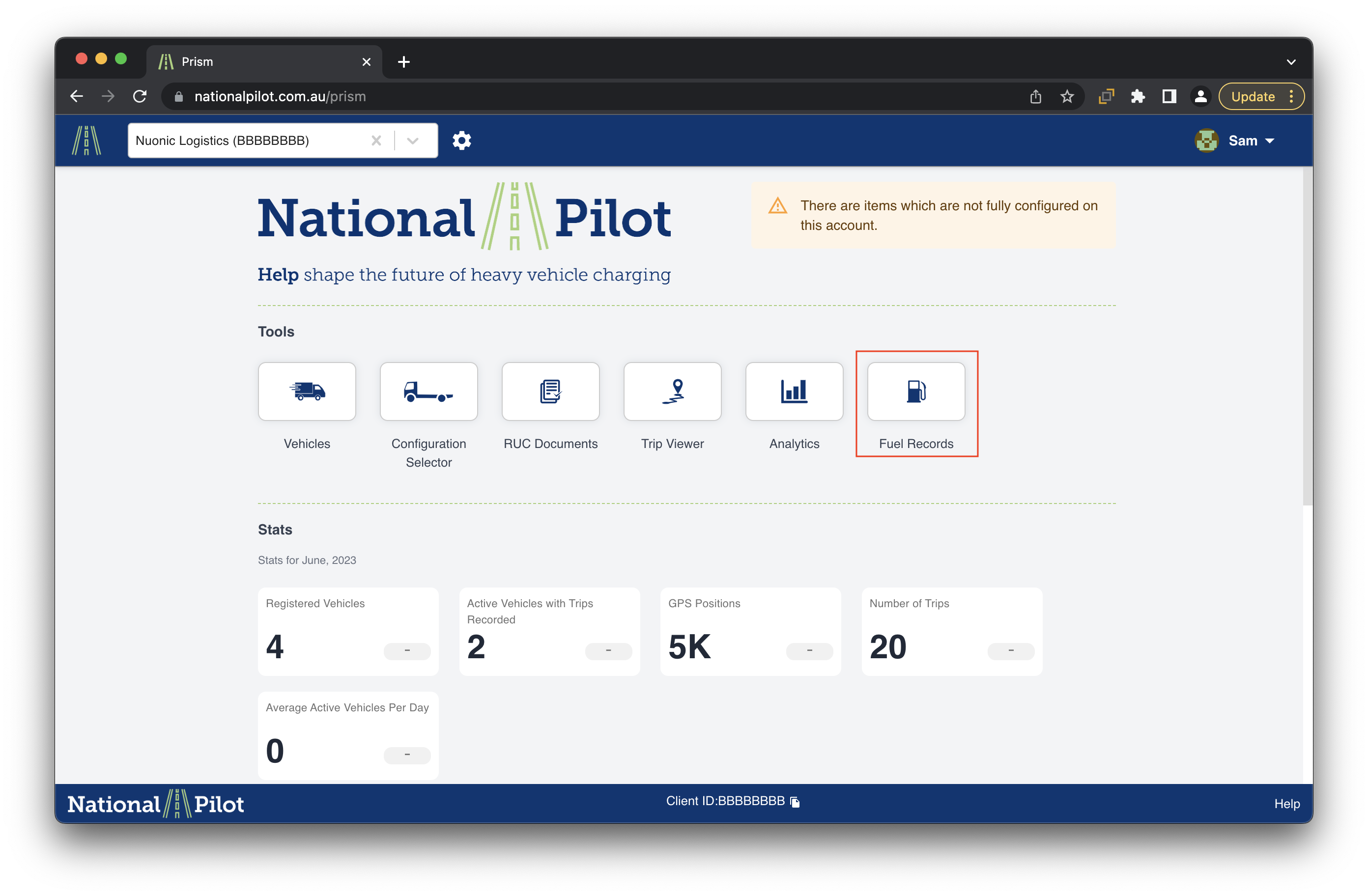
Navigate and click on the “Fuel Records” section on the home screen once you login to your web application
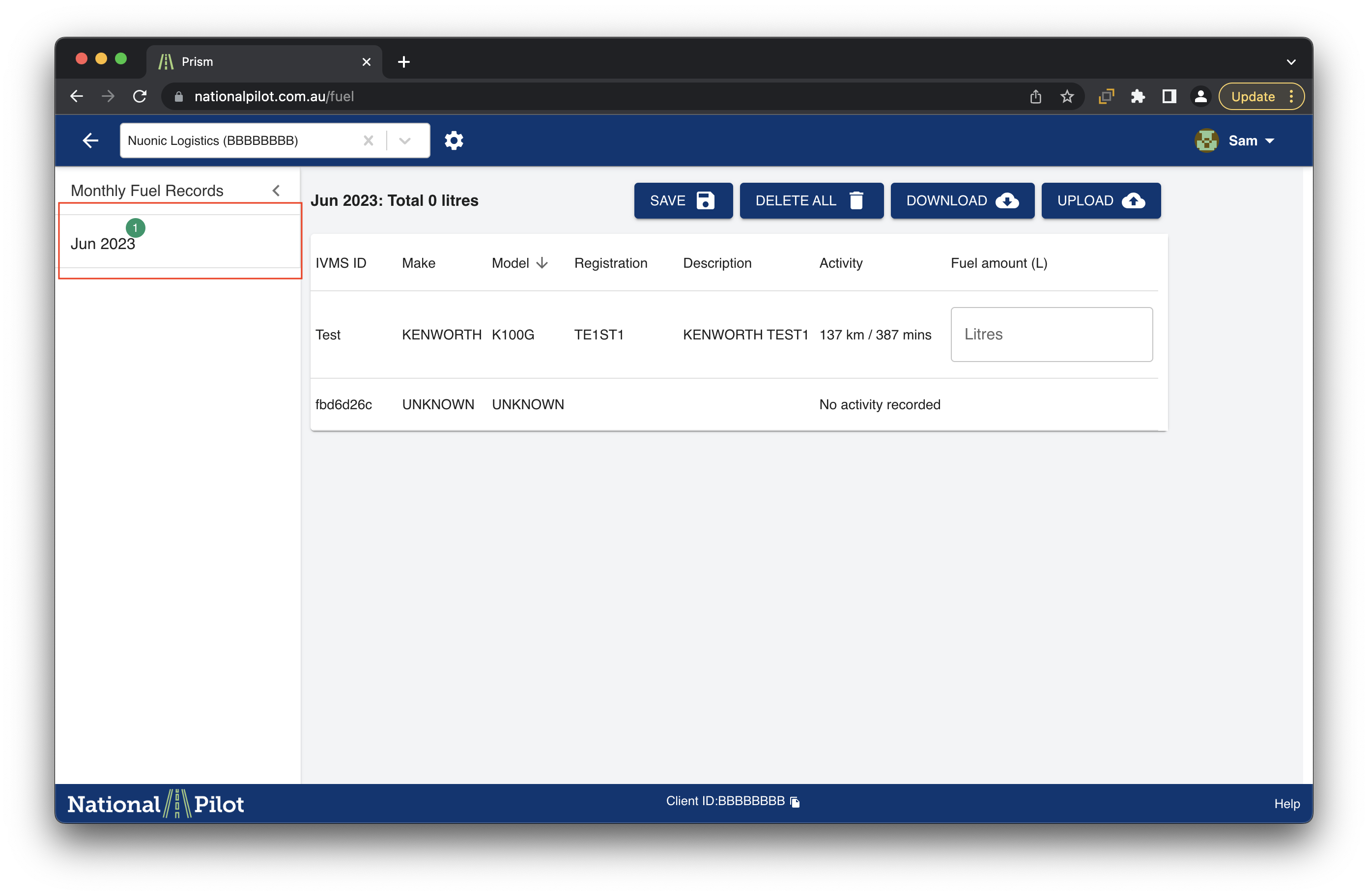
In the fuel records section, you can choose to select the month for which you wish to update / view your fuel records
Updating your Fuel records
To update your fuel records, please follow the steps below
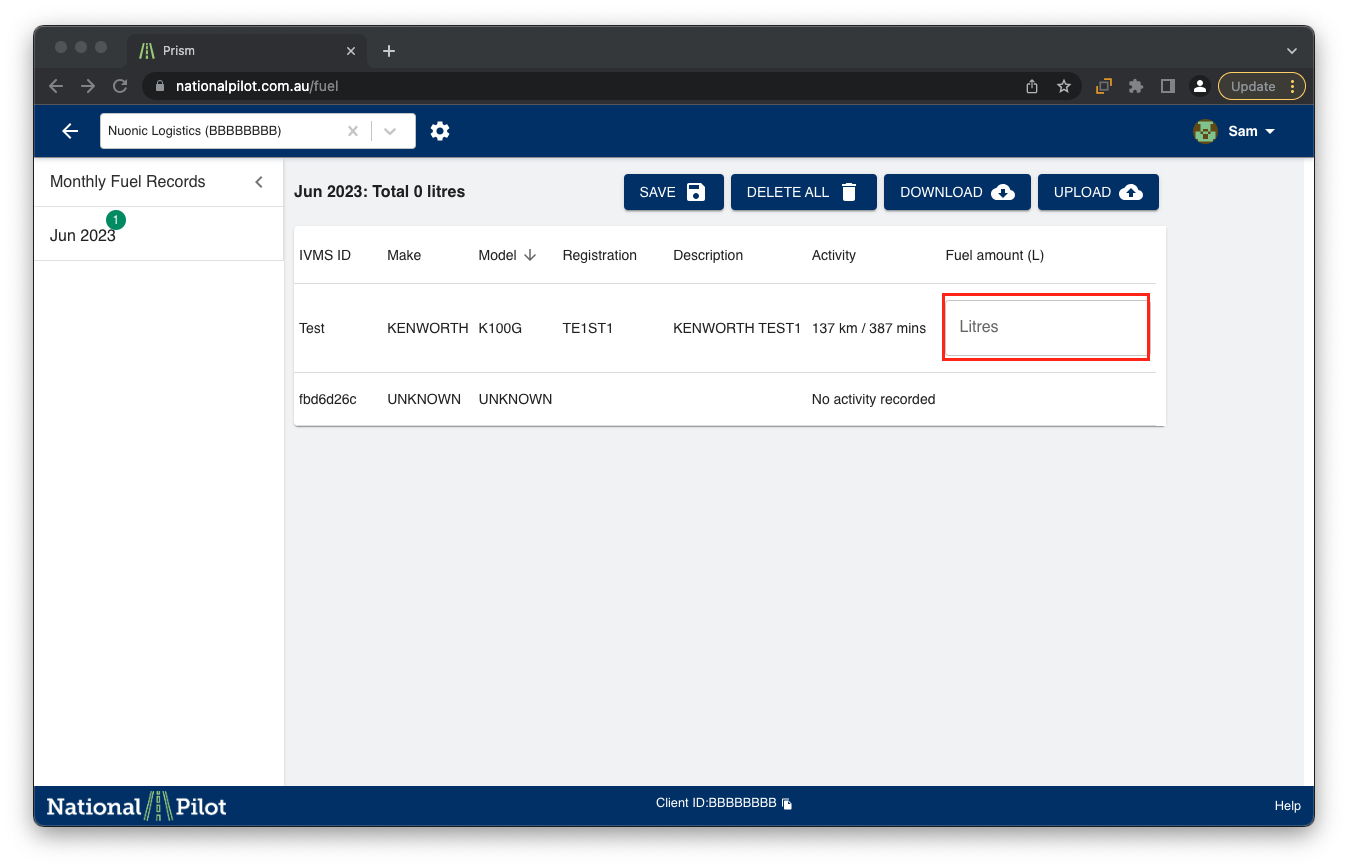
In order to update your fuel amount for an individual vehicle, please use the section provided in the fuel amount field section provided in the Monthly Fuel Records feature.
For a bulk fuel amount upload, please use the upload feature in the top right hand corner of the screen.

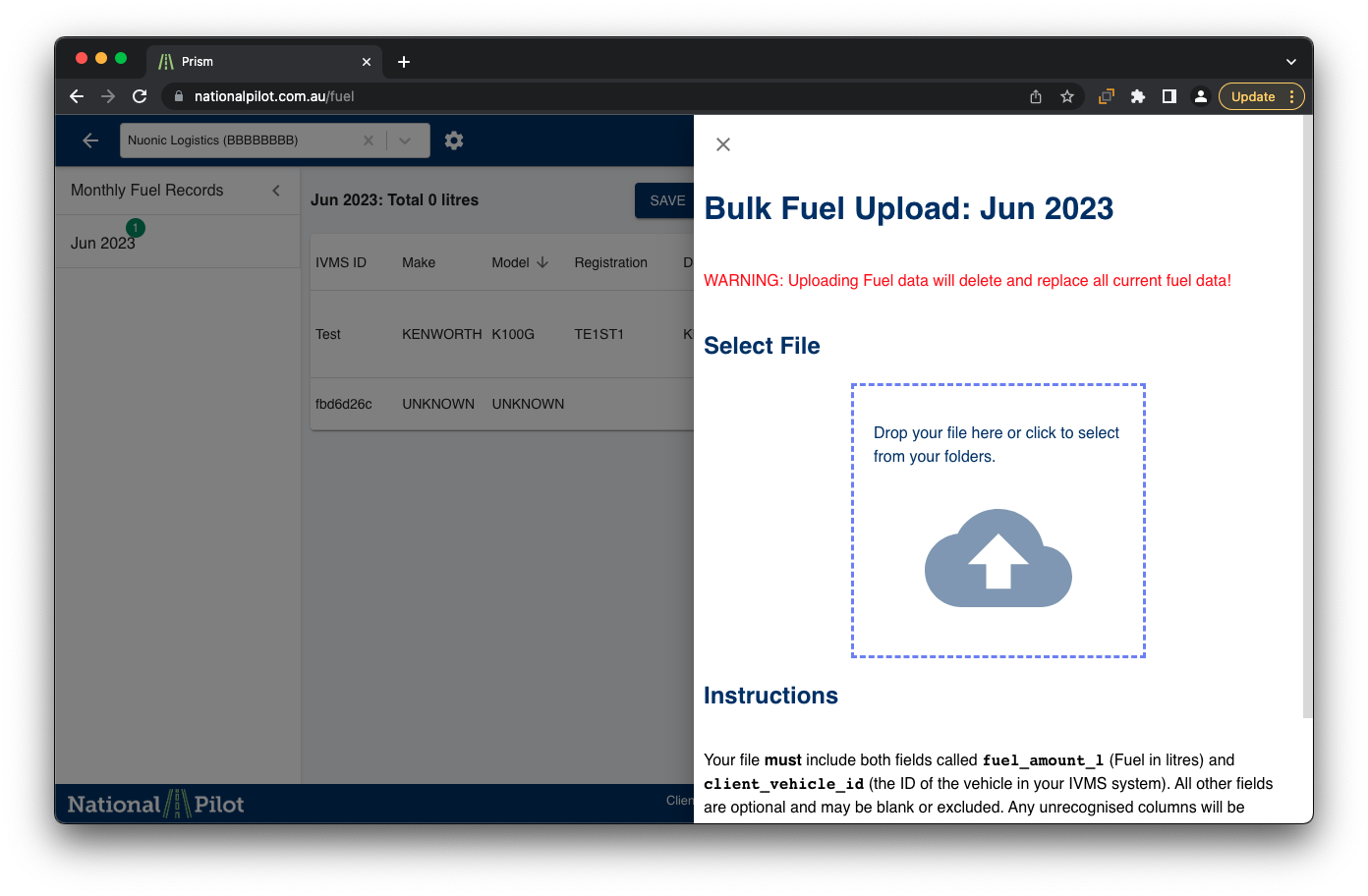
Please Note : Uploading Fuel data will delete and replace all current fuel data!
Please see below screenshot on where to find the upload and download options for bulk upload
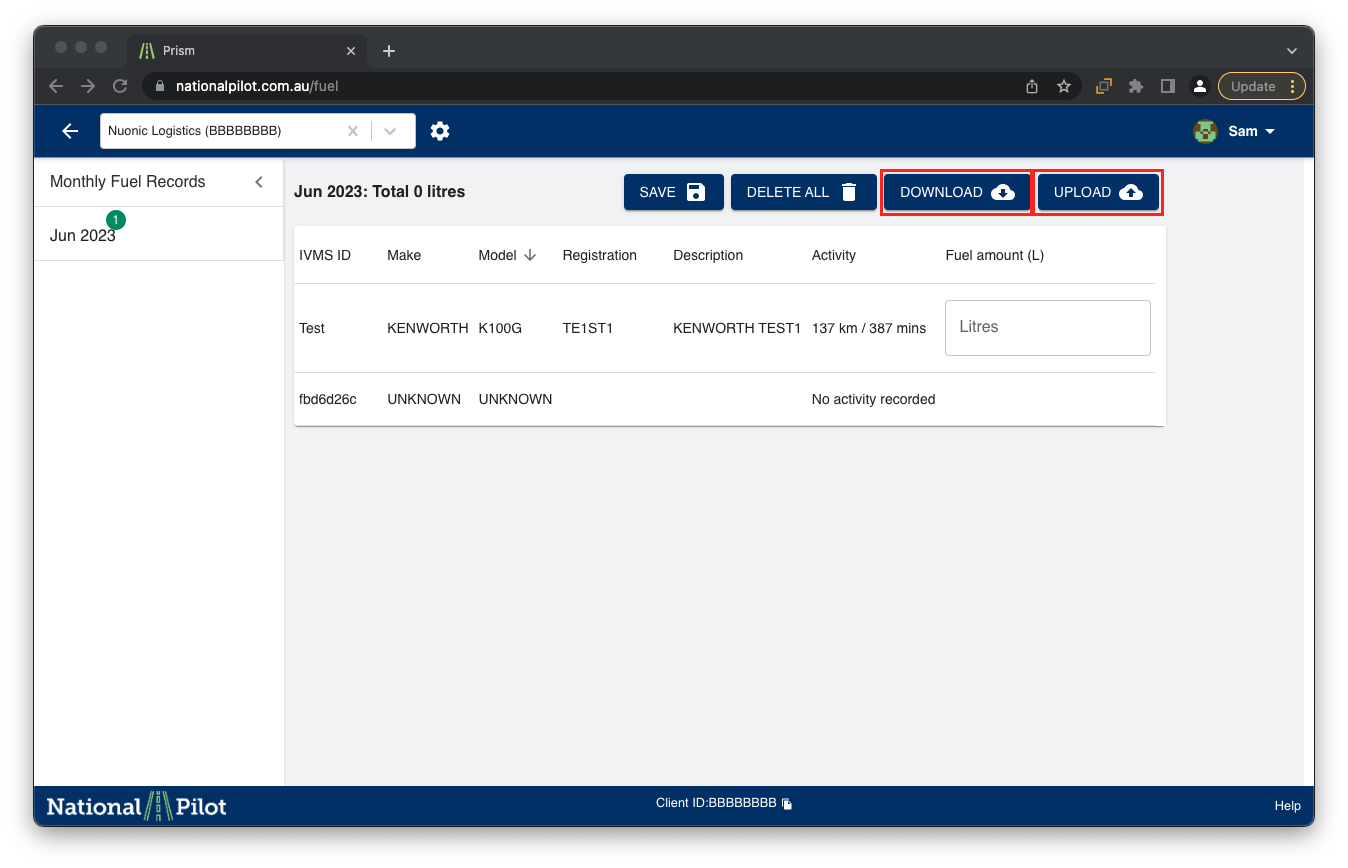
It is recommend to download the spreadsheet for each month, edit and upload the same onto National Pilot using the upload feature to maintain consistency.
The screenshot below shows the space where the spreadsheet needs to be attached for bulk upload.
Updating fuel records via email delivery
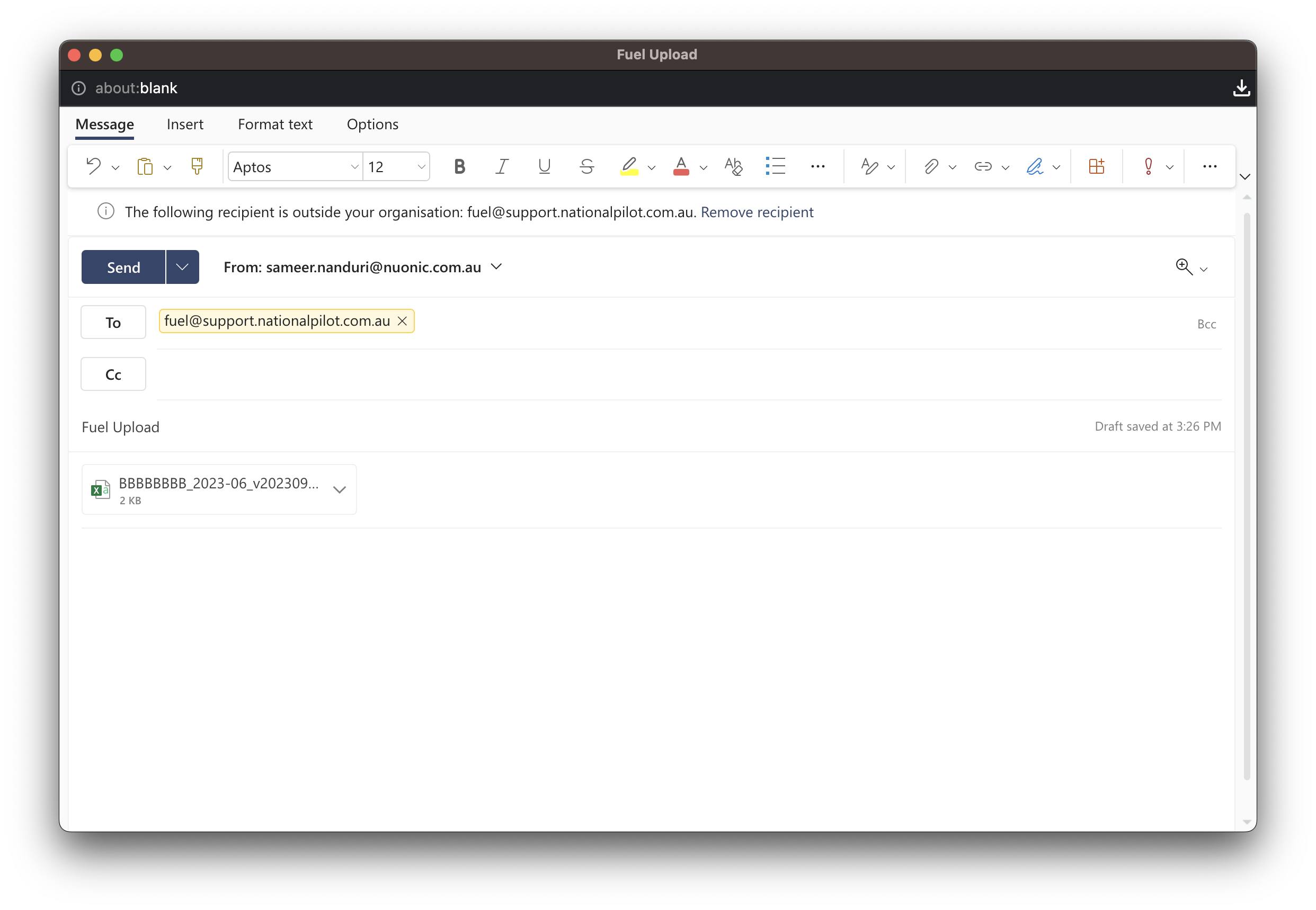
As an alternative, you may utilise the email option, allowing you to attach the spreadsheet in (.csv or .xlsx or .xls) format containing the fuel records. Subsequently, you can send the email to fuel@support.nationalpilot.com.au. Following this process, the fuel records will undergo an automatic update.
Please utilise the download option to retrieve the spreadsheet and proceed to update the "fuel_amount_l" column by entering the fuel consumption data for the corresponding vehicles for an error free data upload.
Kindly ensure that the spreadsheet includes the following fields as shown the example screenshot below
client_vehicle_id
fuel_amount_l
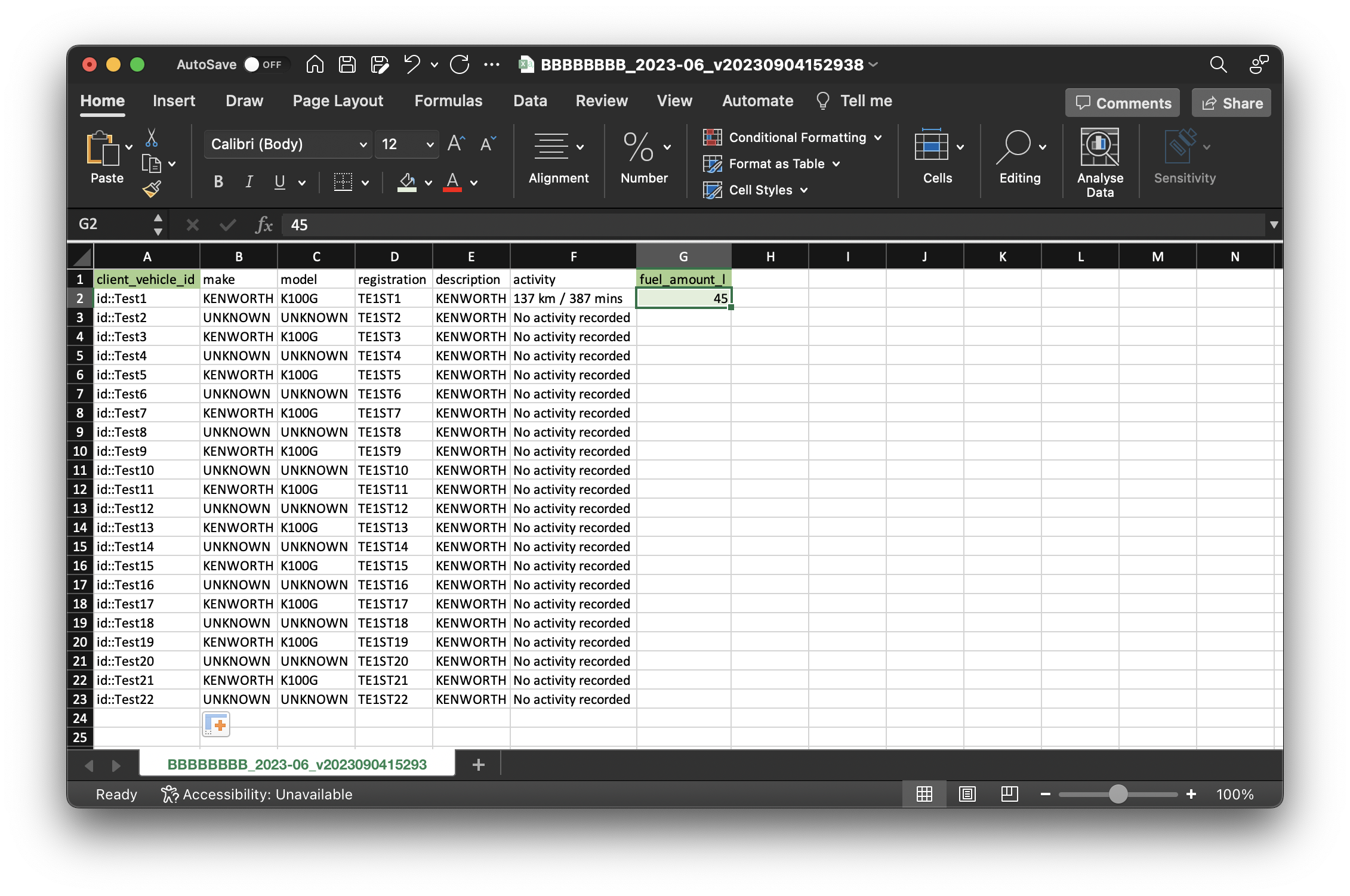

Note : The recording of fuel amount for the designated month is exclusively permissible for the specific vehicle with recorded activity
Once this process is concluded, you can expect to receive an email from fuel@support.nationalpilot.com.au confirming the changes to fuel amount or, if needed, requesting modifications.